
I generally use CMB2 over ACF for no reason other than I’m familiar with it. After working at XWP and now at Awesome Motive, everyone uses it so I spent time making some custom ACF fields, and using them to integrate with Gutenberg Blocks.
Now using ACF to power a block is not only common, it’s encouraged by ACF!
And using ACF to power a options page is also pretty normal.
What if I wanted to make a special options page that let me pick some items, set data, and it auto created the page for me in draft?
Oh yes!
Why on earth?
I have a hobby site where I recap baseball games. Shut it. I decided, instead of making a post per game (which is unsustainable for me) I would instead make a post per series. This means every three days or so I spin up a new post with the following blocks:
- Intro paragraph (s)
- Series Summary Header
- Series Overview Block (custom)
- Games Header
- Game 1 sub header
- Game Results Block (custom)
- Bullet list of notes from the game
- A video from mlb.com (custom)
The last four blocks repeat for however many games there are in the series, and it ends with a separator and a comment about who’s next. The three custom blocks are ones I made to help me nicely format the data in a repeatable way. They’re all made with ACF and integrated with a json file I made with some static data (team names, short names, cities, etc). They problem with them, I have to set things up every single time.
I probably overcomplicated my life, but I’m going to use my custom series overview block for my example. That block has the following choices:
- Start and end date of series
- Home Game?
- Opponent
- Cleveland Wins
- Opponent Wins
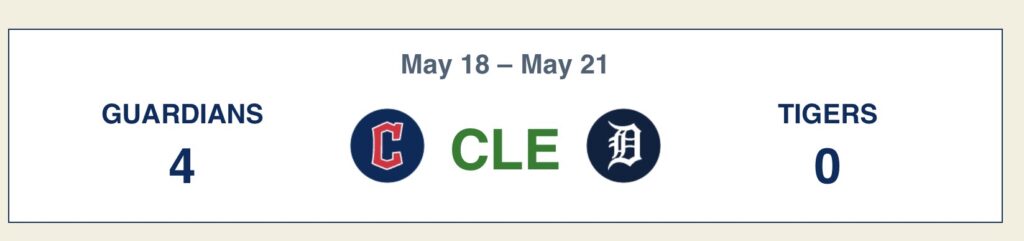
If it’s a home game, Cleveland is on the right. The short name in the middle changes when someone wins (and says SPLIT if it’s a tie). But every time I make a new post, I have to pick all those. And then? For each game I have to pick similar things!
- Home Game?
- Opponent
- Opponent Won-Lost
- Cleveland won-lost
- Cleveland hits
- Opponent hits
- Cleveland Errors
- Opponent Errors
- Score for each inning (if empty, it’s a 0)
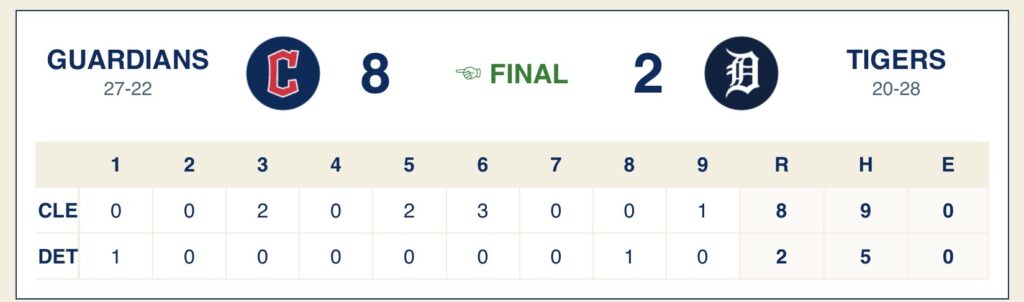
If you compare the two, there’s a lot of crossover. So instead of having a template where I pre set everything as a TBD, I thought late one night “what if I had a page and I could tell if the dates and shit, and it drafted the post?”
So I did!
Custom Settings Page
I already had a settings page for some global settings (mostly the dates of each season subtype, like spring training) so I made a special subpage:
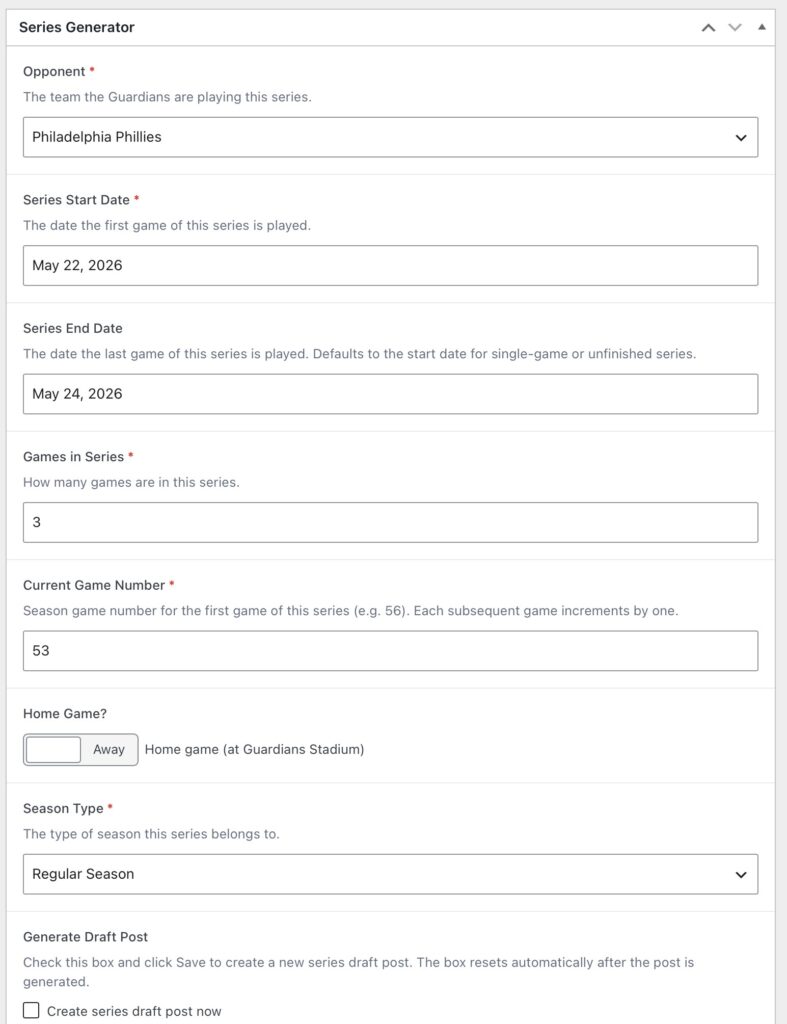
The settings themselves are the easy part, it’s just ACF, but that checkbox and the drafting is where I got weird. It took a few tries to really get it right, but I do have it finally working the way I want to. I’m thinking about adding in the current standings, so it pre-fills those a little, but so far it fills in all the basic info, sets the options, and get’s things started.
What’s Next?
Automation!
I mentioned standings. I could use the API to pull down the teams’ current standings, and honestly I do like that idea.
Right now, I have to enter it all by hand which I don’t really mind since it allows me finer control, but I do think about automating post creation totally and maybe auto-generating quirky titles for posts, and throwing in fun facts.
I am working on a feature to automate pulling down the umpire data and comparing the calls to see who’s favoured in games, but I haven’t decided how I want to math out the ABS factoring in to that.
Check out the code for BaseBelles (named for my grandmother) on Github!