
After my adventures with Google telling me I was hosting adult content (again, this is actually my third go-round with them), I’m here to inform you that you can now block Google Ads on one page only.
Add a URL Channel
First you have to tell Google what your URLs are that you want to treat differently. For that, we’ll use a URL channel which you can find at My Ads > Content > URL Channels. Now, you only get 500 of these, which means you can only flag 500 unique URLs as … well … unique.

You may notice, no wildcards. So I can add halfelf.org/2012/legitimate-porn-plugins/ but not halfelf.org/.*/.*[porn].*/ which would be pretty cool. Once you’ve added your URL, you’ll see it like this:

Edit Ad Settings
I’m using Auto Ads because I’m incurably lazy, as my friend Syed knows. So I go to My Ads > Auto Ads, but if you were using specific units, you’d go to My Ads > Ad Units. There you go to the Advanced URL Settings section and click on the add button for a new URL Group.

This brings you to a page where you can select the URLs for this group.

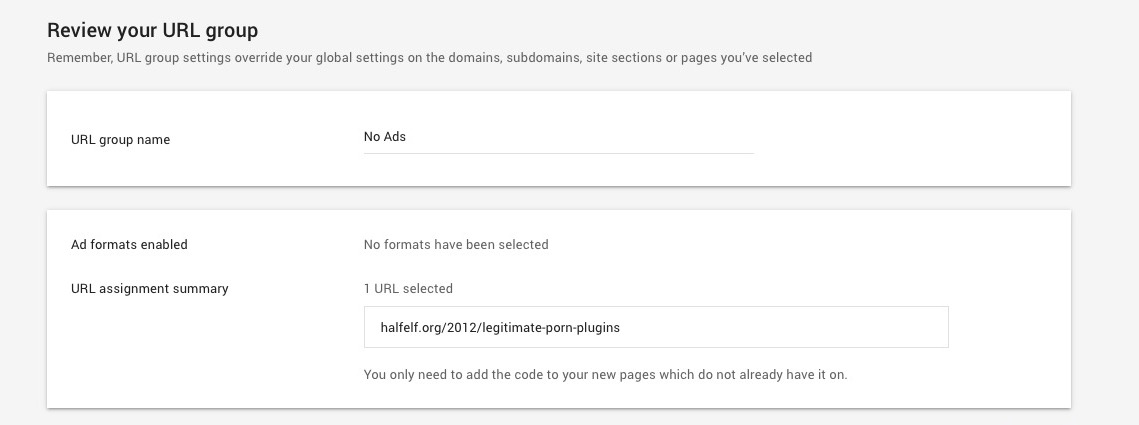
When you’ve picked all your URLs (and yes you can add more later), click next and you’ll get a list of all the possible ad units. Uncheck them all. That’s the point of this, right? Finally you’ll review the group and give it a name. I picked “No Ads” since that’s what this was.
Annoyances
- You have to add in each URL one at a time
- There’s no wildcards or regex
- You only get 500 urls
- You still can’t talk to a human
All in all, it’s another day with Google.